How to Make Your First Podcast Look Professional — Without a Big Budget
Starting a podcast? You don’t need a fancy studio or lakhs in gear to make it look and sound professional. With the right setup tricks, smart gear choices, and a little creativity, you can create a podcast that looks premium and feels studio-grade — even if you’re just starting out.
Let’s break it down:
✅ 1. Choose the Right Space
The space you choose will impact your sound quality and overall video aesthetic (if recording video podcasts). Here’s what to look for:
🔸 a) Sound-absorbing environment
Avoid echo-heavy rooms. Choose a space with:
-
Curtains
-
Rugs or carpet
-
Cushioned furniture
-
Wall panels or foam if possible
📌 Coshot’s Cozy Corner studio is pre-designed with soft furnishings and wood walls that absorb sound — great for beginners.
🔸 b) Neutral and clean background
Make sure your background doesn’t distract. Avoid messy shelves or cluttered visuals.
Use:
-
Solid walls
-
Branded backdrop
-
Wall art (if it matches your vibe)
✅ 2. Get Basic but Reliable Equipment
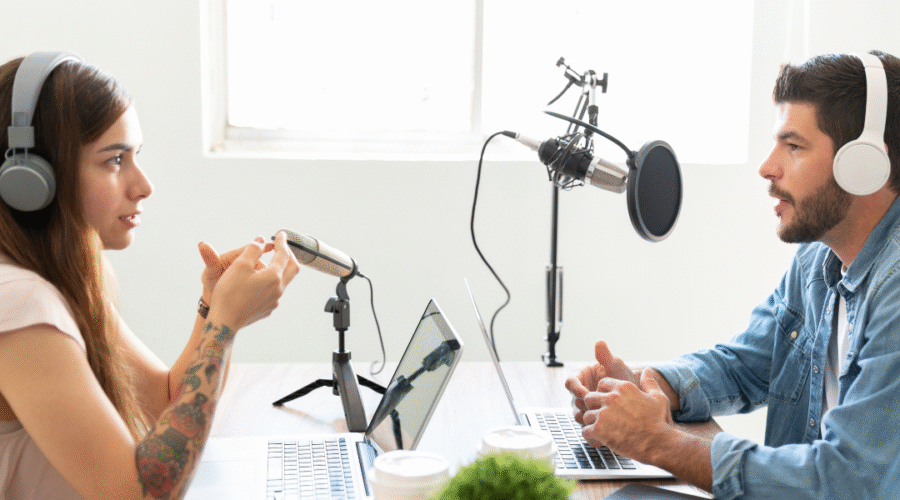
You don’t need to start with a Shure SM7B or Rodecaster Pro. Here’s your budget gear checklist that still looks pro:
🔹 Microphone (₹1,500–₹5,000)
-
Boya BY-M1 (Lavalier mic, beginner-friendly)
-
Maono AU-A04 (USB condenser)
-
Fifine K669B (budget USB)
🎯 Make sure it’s close to your mouth and not too far — that’s 80% of good audio.
🔹 Headphones (₹1,000–₹2,500)
Closed-back headphones help monitor your voice & eliminate background noise.
-
JBL, Audio-Technica, or even basic OneOdio models work fine.
🔹 Webcam or Phone Camera (₹0 if you have a good phone)
Don’t overthink video. Use your phone camera + tripod and shoot in landscape for YouTube or vertical for Instagram.
📌 Place it at eye level — this instantly improves professionalism.
✅ 3. Use Studio Lighting Smartly
You can make a ₹10,000 setup look like a ₹1L studio just with proper lighting.
-
Ring Light (₹1,000–₹2,500): Place it in front of you
-
Softbox (₹3,000–₹6,000): Optional but adds quality
-
RGB Backlight (₹1,000): Add color behind you for a modern podcast look
➡️ Studios like Coshot’s Creator’s Set come pre-lit, saving you the cost of buying your own lights.
✅ 4. Structure Your Setup Like a Real Show
People trust what feels “produced.” Structure your podcast like a professional one:
-
Intro music/jingle
-
Name tag overlay (if video podcast)
-
Lower-thirds showing guest names/topics
-
Consistent thumbnail design
💡 You can use free tools like:
-
Canva for thumbnails
-
CapCut / DaVinci Resolve for editing
-
Anchor.fm or Spotify for Podcasters for distribution
✅ 5. Rent a Podcast Studio (When You’re Ready)
Sometimes you don’t want the hassle of setup, soundproofing, and background prep.
That’s where rentable podcast studios like Coshot come in — with:
-
Professional mics & audio interface
-
Proper lighting & acoustics
-
Camera setups for video podcasting
-
Aesthetic spaces to boost your brand vibe
📌 And since it’s hourly rental, you pay only when you record — not for expensive gear ownership.
✅ 6. Bonus Tips for a Pro Look
-
Always record in landscape for YouTube
-
Keep consistent branding (same color tones, logo, layout)
-
Do a test run for audio before the main recording
-
Use music or ambiance to hide small background noises
-
Look into the camera while speaking — makes your video podcast feel personal
🚀 Ready to Launch Your Podcast Like a Pro?
You don’t need to break the bank — just start smart.
And when you’re ready to level up, explore Coshot’s pre-equipped podcast studios — crafted for creators like you.
👉 [Book a Podcast Studio Now on Coshot]